
Deliver digital products from S3 in under five minutes.
Expiring links, presigned URLs, and a 30-second support workflow for when a customer loses their download. Deliver any digital file — plugins, videos, audio, PDFs, ebooks, design assets. Works on any WooCommerce theme without a line of custom CSS.
One-time purchase · No subscriptions · No phone-home
Install it, configure AWS credentials, start selling. No recurring fees — ever.
- Expiring presigned S3 download links
- Paid-order verification, customer-locked
- Generate & Share Link — search by name or ID
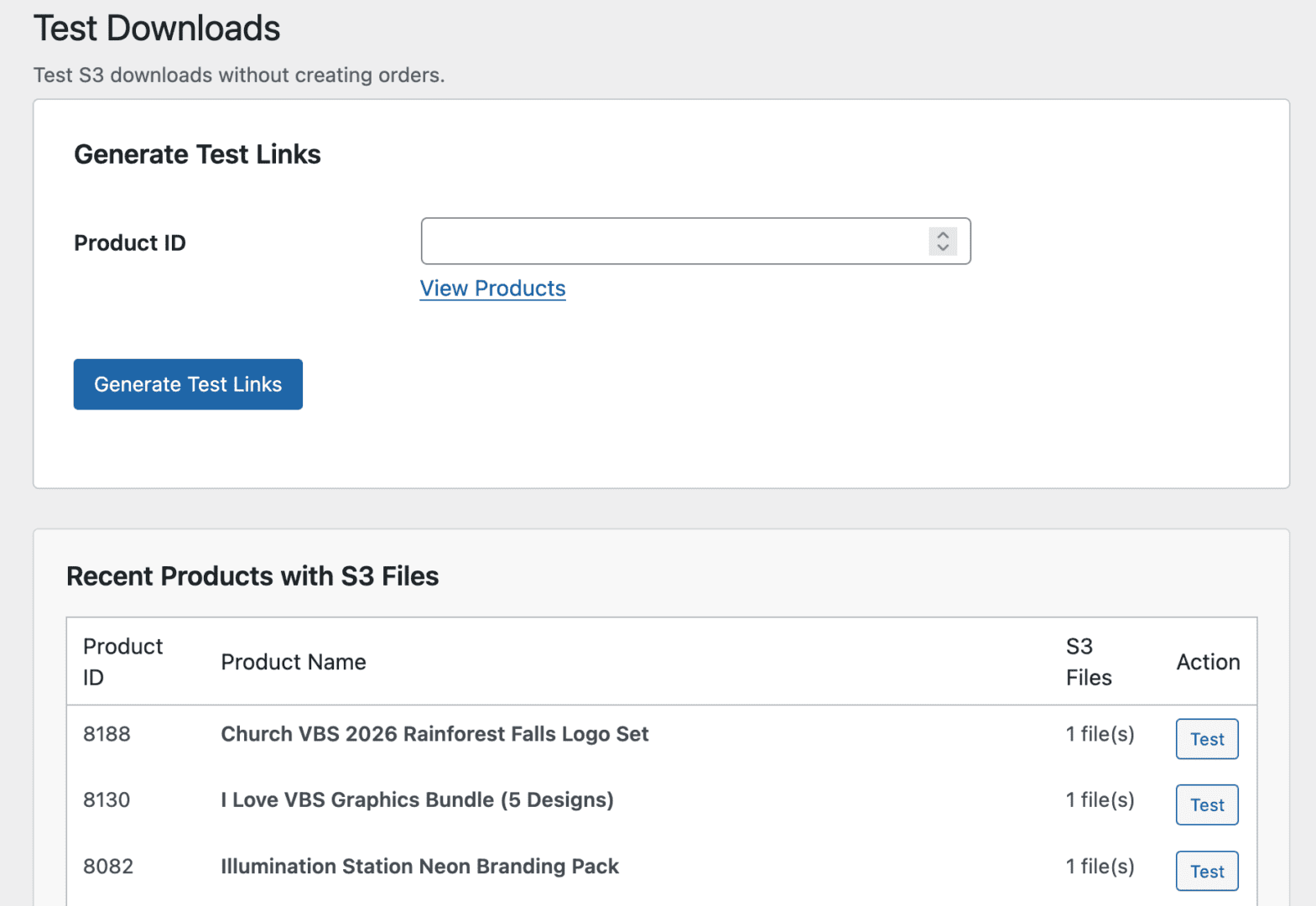
- Admin test bypass (no incognito)
- Works on any theme, no CSS edits
Six things your file delivery actually needs.
Not a bloated plugin trying to do everything. A focused tool that handles secure S3 delivery and gets out of the way.
Expiring presigned URLs
Every download resolves to a time-limited, signed S3 URL. On the customer’s order page it’s scoped to that customer and order; default expiry is 60 minutes — configurable to whatever you want.
Paid-order gating
On the storefront, downloads only appear for completed or processing WooCommerce orders, locked to the customer’s account. For manual support you can also mint a controlled share link — governed by expiry and a download cap instead.
Generate & Share Link
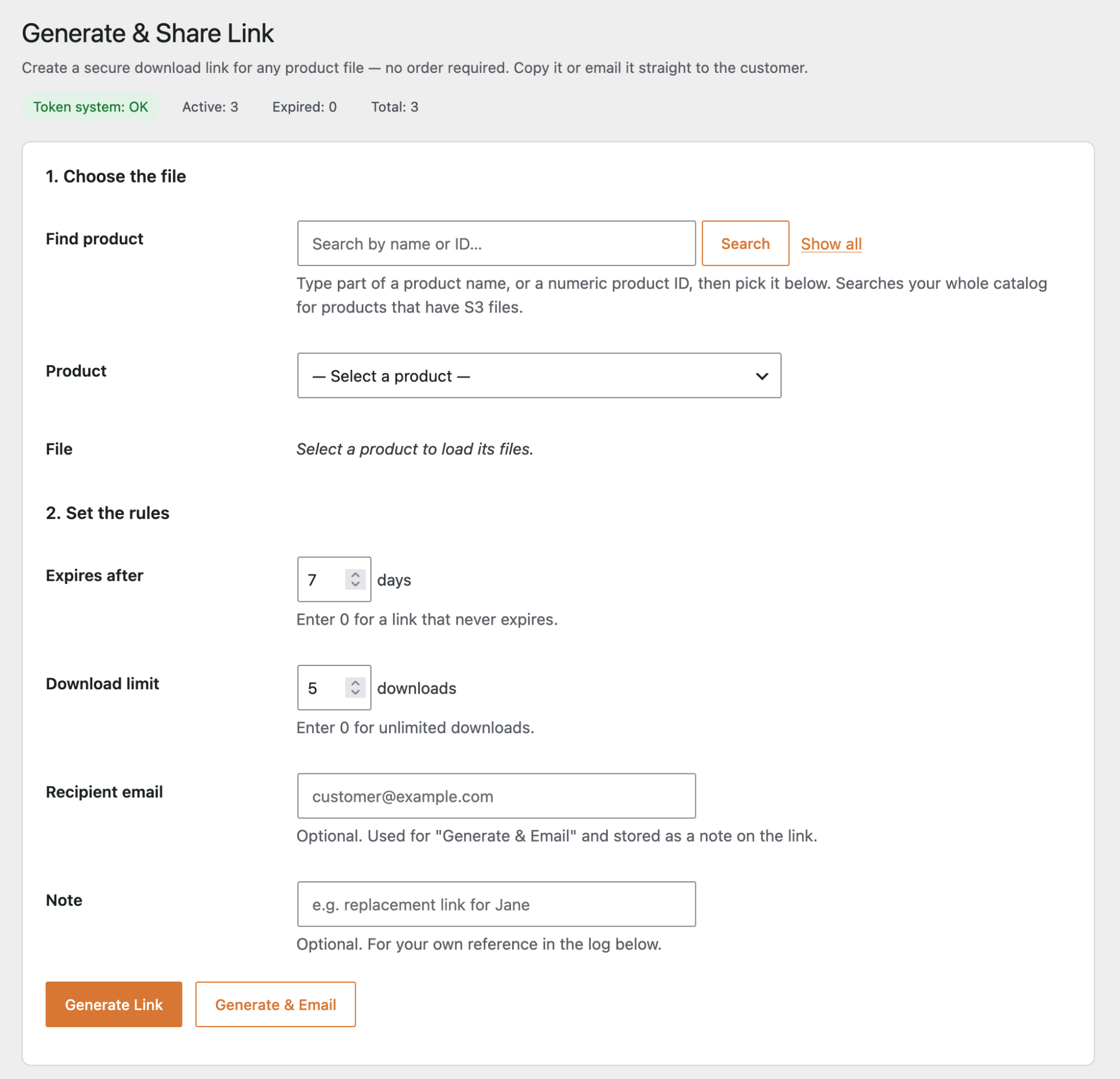
Customer lost their file? Search the product by name or ID, pick the file, set an expiry and download cap, then copy the link or email it straight from the page. No order lookup required.
Search by name or ID · email in one clickAny digital file
Plugins, themes, video courses, audio, ebooks, design assets, raw footage — anything S3 can hold, you can sell. Deliver large files without your web host’s bandwidth becoming the bottleneck.
Zero phone-home
The plugin never calls out to a license server, update checker, or analytics endpoint. No daily cron pings. No third-party dependencies surprising you mid-checkout.
Works with any theme
Styled download buttons work out of the box on OceanWP, Astra, GeneratePress, Kadence, Storefront — whatever you run. Zero CSS edits required.
“Help, I lost my download.” Resolved in half a minute.
The most common support ticket in digital sales. Here’s exactly how S3 Delivery Pro handles it.
From email to resolved, without leaving WordPress.
Every digital store gets the “where’s my download?” email. Most plugins make you dig through orders, regenerate permissions, and test in incognito. This one doesn’t — you don’t even need the order.
Open Generate & Share Link, search the product, pick the file, and email a fresh expiring link straight from the page.
- Open Generate & Share LinkS3 Delivery Pro → Generate & Share Link
- Search the productBy name or numeric ID — no order lookup needed
- Pick the file & set the rulesChoose the file, set an expiry window and download cap
- Copy or email itCopy the secure link, or email it to the customer in one click
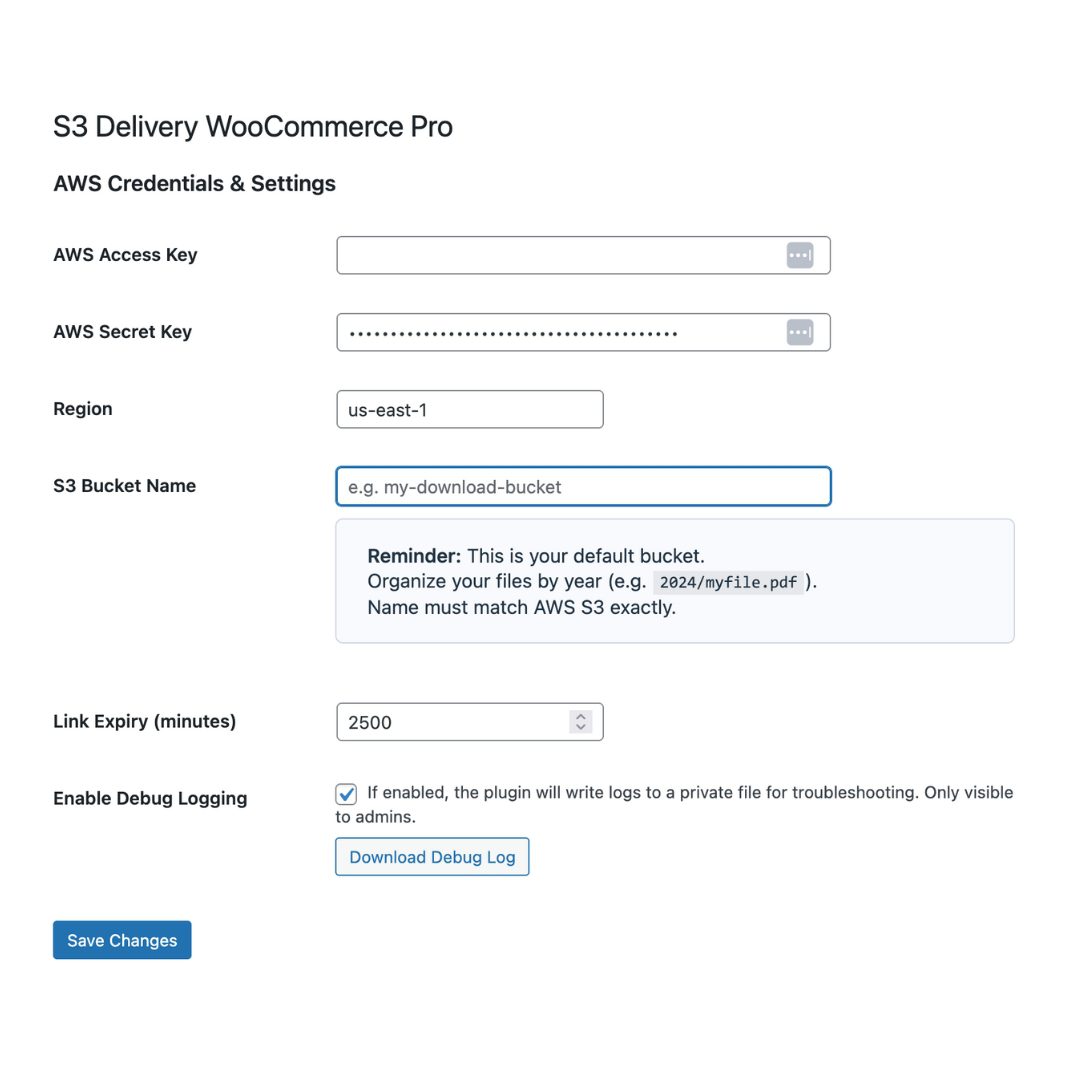
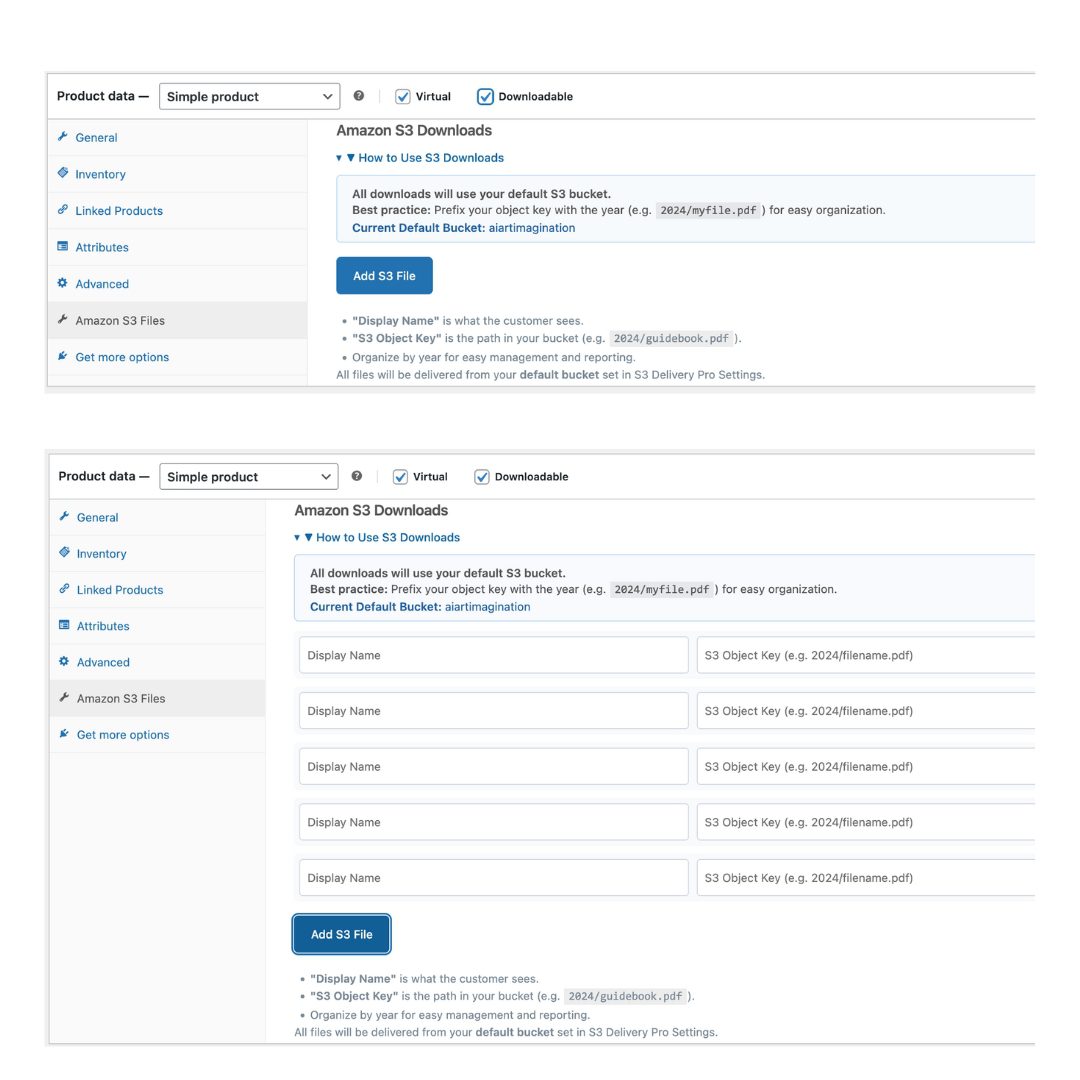
See every screen before you buy.
No vague product mockups. No stock UI. These are the actual admin pages you’ll be using.
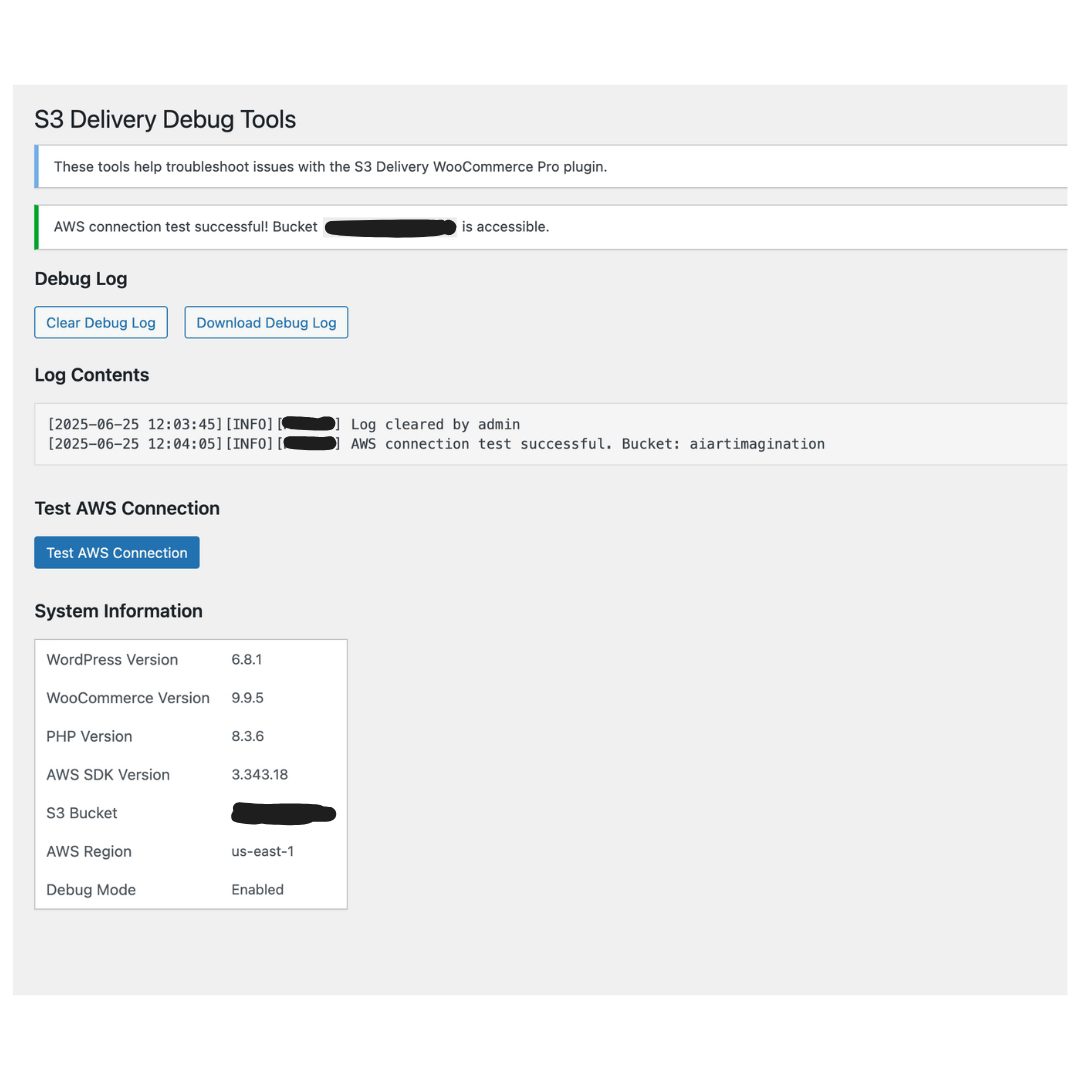
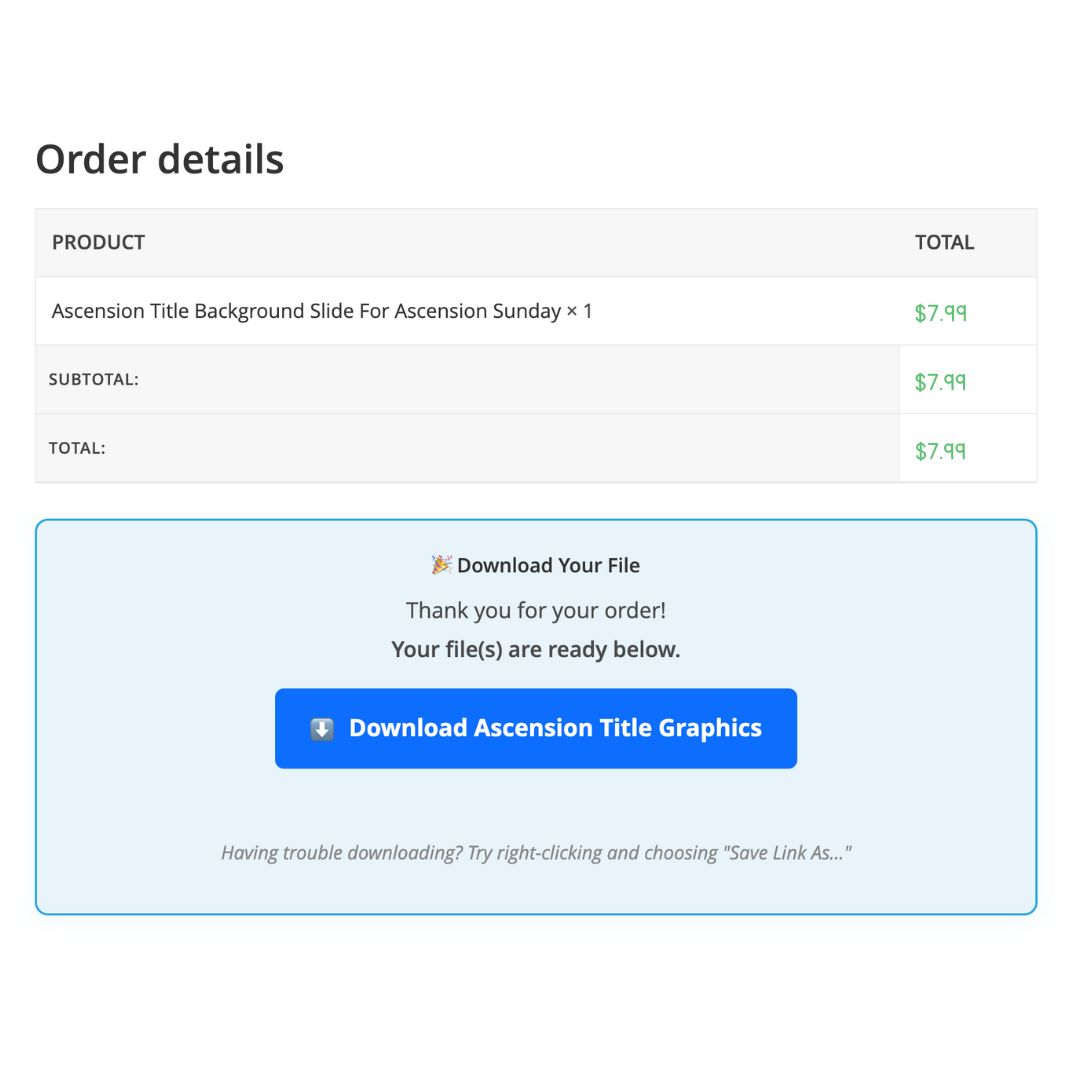
Default WooCommerce downloads vs. S3 Delivery Pro.
WooCommerce ships with a basic downloads system. Here’s where it stops and where this plugin keeps going.
| Capability | Default WooCommerce | S3 Delivery Pro |
|---|---|---|
| Files hosted | Your web server — uses host bandwidth | Amazon S3 — unlimited bandwidth |
| File size & bandwidth | Limited by PHP upload + host bandwidth | No practical limit — offloads to S3 |
| Download link expiry | Permanent until manually revoked | Time-limited presigned URLs (default 60 min) |
| Link sharing protection | Download count limits only | Account-locked storefront links; share links expire + cap downloads |
| “Lost my download” support | Manually email, manually regenerate | Search the product, email a fresh link — no order needed |
| Admin testing | Requires incognito or a test account | Admin bypass built in |
| Update mechanism | N/A | Manual upload — no phone-home, no cron |
| Price | Free (but limited) | $49 one-time, no renewals |
The questions you’ll ask before you click buy.
What does it cost to run S3 for my downloads?
Amazon S3 pricing is pay-as-you-go and genuinely cheap for most stores. As of 2026, standard storage runs about $0.023/GB/month and egress is about $0.09/GB for the first 10 TB out per month. A small plugin store delivering 10 GB of downloads a month typically pays under $2/month in S3 fees.
Prices shift — check AWS’s current pricing page before committing, but for most WooCommerce sellers S3 costs a fraction of the bandwidth savings.
Will this slow down my site?
No — the opposite, actually. When files live on S3, your customers download directly from Amazon’s CDN instead of your WordPress host, which frees up server resources and bandwidth for page loads.
The plugin itself only loads on admin pages and during the download generation step. It does not add frontend scripts or styles to your regular store pages.
Do I need coding skills to set this up?
No. If you can create an AWS account and copy-paste your access key and secret into a settings form, you can run this plugin. The hardest part is the AWS IAM setup, and that’s a one-time 5-minute process that’s well-documented.
Attaching files to products happens inside the familiar WooCommerce product editor — just a new “Amazon S3 Files” tab where you enter a Display Name and the S3 Object Key.
What happens if I stop paying? (Answer: nothing.)
There’s nothing to stop paying. This is a one-time $49 purchase — no subscription, no renewal, no license server to ping. If you never buy another version, the plugin keeps working indefinitely.
New versions come through your store account when they ship. You download and upload them manually — there’s no auto-updater that could break your site during a customer’s checkout.
Does it work with my theme?
Yes. The download button styling is self-contained and works on every WooCommerce-compatible theme tested — OceanWP, Astra, GeneratePress, Kadence, Storefront, Divi, and any child themes built on them.
No CSS edits, no template overrides, no shortcode gymnastics required.
What file types and sizes are supported?
Any file type — PDF, ZIP, MP4, MP3, EPUB, MOBI, PNG, PSD, DOCX, anything you’d want to sell as a digital download. There’s no practical size limit either; S3 handles files larger than your WordPress host ever could.
Can customers share or reuse download links?
Storefront order downloads are tied to the customer’s account and resolve to a presigned S3 URL that expires after your configured window (default 60 minutes) — a shared link is a dead link within the hour.
When you send a link manually with Generate & Share Link, you set the terms yourself: an expiry window plus a maximum download count. Once either limit is hit, the link stops working. Tune both to match how sensitive the product is.
What about refunds or support?
Every sale comes with direct email support. If the plugin doesn’t work for your setup, reach out — most issues are resolved on the first reply, and refunds are available for cases where we genuinely can’t make it work.
Stop losing sleep over download delivery.
Install S3 Delivery Pro, connect your bucket, and let the expiring links handle the rest. If your store sells digital products and you’re still worried about bandwidth, link leaks, or lost-download emails — this is the fix.
Get S3 Delivery Pro — $49 →Everything above. No subscription. No cutoffs.
- Expiring presigned S3 links
- Generate & Share support workflow
- Any digital file type
- Any WooCommerce theme
- Zero phone-home